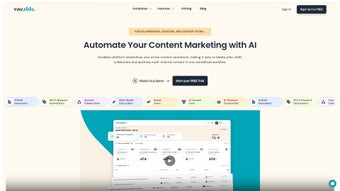

Download Vocable – AI‑Powered Content Marketing Automation Tool
Overview
Vocable is an innovative AI‑driven content marketing automation platform that streamlines every stage of the content lifecycle. From initial research and brainstorming to creation, optimization, and governance, Vocable provides a single workspace where teams can collaborate, stay on brand, and publish faster. The platform leverages advanced natural‑language processing to surface keyword variations, track trending topics, and deliver real‑time writing assistance, including grammar, tone, and style suggestions. By centralizing task management, content insights, and brand guidelines, Vocable helps marketers reduce manual overhead, maintain consistency across channels, and ultimately boost ROI on content investments. Whether you are a solo freelancer, a growing agency, or a large enterprise marketing department, Vocable’s flexible architecture adapts to your workflow while keeping security and data privacy at the forefront.
Core Features that Power Your Content Engine
- Personalized AI Assistant: Generates topic ideas, outlines, and first‑draft paragraphs based on your niche and target audience.
- Keyword & Trend Analyzer: Scans search engines and social platforms to surface high‑volume keyword variations and emerging trends.
- Content Governance Hub: Stores brand guidelines, style guides, and approved terminology for instant reference.
- Collaborative Workspace: Real‑time editing, comment threads, and task assignments keep writers, editors, and SEO specialists on the same page.
- AI‑Enhanced Writing Coach: Offers grammar corrections, tone adjustments, and readability scores as you type.
- Workflow Automation: Automates repetitive steps such as SEO checklist completion, image sourcing, and publishing schedules.
- Analytics Dashboard: Provides content performance metrics, engagement trends, and ROI calculations in an easy‑to‑read visual format.
- Secure Cloud Storage: All assets are encrypted at rest and in transit, meeting GDPR and CCPA compliance standards.
Each feature is built to reduce friction. For example, the AI Assistant can draft a 1,000‑word blog post in under ten minutes, while the Governance Hub ensures that the final copy respects brand voice without needing a separate review cycle. The analytics dashboard ties every piece of content back to measurable business outcomes, allowing marketers to iterate quickly based on data rather than intuition. In practice, teams report a 30‑40 % reduction in time‑to‑publish and a noticeable lift in organic traffic after adopting Vocable.
Installation, Usage & Compatibility
Getting started with Vocable is straightforward. The platform is offered as a cloud‑based SaaS solution, so there is no traditional “installation” on local machines. Follow these steps to begin:
- Create an Account: Visit Vocable.com and click “Start Free Trial.” Provide a business email, set a strong password, and verify your account via the confirmation link.
- Choose a Plan: Select the tier that matches your team size—Free, Professional, or Enterprise. All plans include secure SSL encryption and regular feature updates.
- Onboard Your Team: Invite collaborators by entering their email addresses. Assign roles (Writer, Editor, SEO Analyst, Admin) to control access to specific modules.
- Configure Brand Settings: Upload your brand style guide, logo assets, and approved terminology. Vocable’s AI will reference these files when suggesting copy.
- Start a Project: Click “New Content Project,” define the content type (blog post, landing page, social copy), and let the AI generate an outline.
- Iterate & Publish: Use the real‑time editor to refine the draft, run the SEO checklist, and schedule publication to your CMS or social scheduler directly from Vocable.
Because Vocable runs entirely in the browser, it is compatible with any modern operating system that supports a recent version of Chrome, Edge, Firefox, or Safari. This includes Windows 10/11, macOS Big Sur and later, Linux distributions, as well as mobile browsers on Android 12+ and iOS 14+. The responsive design ensures that the same workflow works on a desktop workstation or a tablet in a coffee shop.
Security updates are pushed automatically, and the platform adheres to ISO 27001 standards. For enterprises that require single sign‑on (SSO), Vocable integrates with SAML, Okta, and Azure AD, making user provisioning seamless.
Pros & Cons
- Pros:
- All‑in‑one workspace eliminates the need for multiple tools.
- AI suggestions are context‑aware and respect brand guidelines.
- Strong collaboration features reduce hand‑off delays.
- Cloud‑native architecture ensures access from any device.
- Comprehensive analytics link content effort to revenue.
- Cons:
- Advanced AI features are locked behind higher‑tier plans.
- Learning curve for teams new to AI‑driven workflows.
- Requires reliable internet connection; offline mode is limited.
Frequently Asked Questions
Is there a free version of Vocable?
Yes, Vocable offers a free tier that includes core AI drafting, basic keyword analysis, and limited collaboration. It’s ideal for freelancers or small teams wanting to test the platform before upgrading.
How does Vocable ensure data privacy?
All data is encrypted both at rest and in transit using AES‑256 and TLS 1.3. Vocable complies with GDPR, CCPA, and ISO 27001, and offers data residency options for Enterprise customers.
Can Vocable integrate with my existing CMS?
Yes. Vocable provides native plugins for WordPress, HubSpot, and Contentful, plus a robust API that lets you push content to any custom CMS or publishing platform.
What support options are available?
All plans include email support; Professional and Enterprise tiers receive 24/7 live chat and a dedicated account manager. Knowledge base articles, video tutorials, and community forums are free for all users.
Is there a trial period for paid plans?
Yes, Vocable offers a 14‑day risk‑free trial for Professional and Enterprise plans. No credit card is required to start the trial, and you can cancel anytime before the period ends.
Conclusion & Call to Action
Vocable stands out as a comprehensive, AI‑enhanced solution that bridges the gap between content creation and strategic marketing. Its ability to generate ideas, enforce brand consistency, and provide actionable performance data makes it a valuable asset for any organization looking to scale content without sacrificing quality. While the premium features come at a cost, the productivity gains and SEO benefits typically offset the investment within a few months. If you’re ready to accelerate your content pipeline, reduce manual bottlenecks, and make data‑driven decisions, download Vocable today and start your free trial. Experience a faster, smarter way to market your brand.



.png)



